The Ultimate Guide to Choosing Consumer Electronics: How to Make Smart Tech Investments
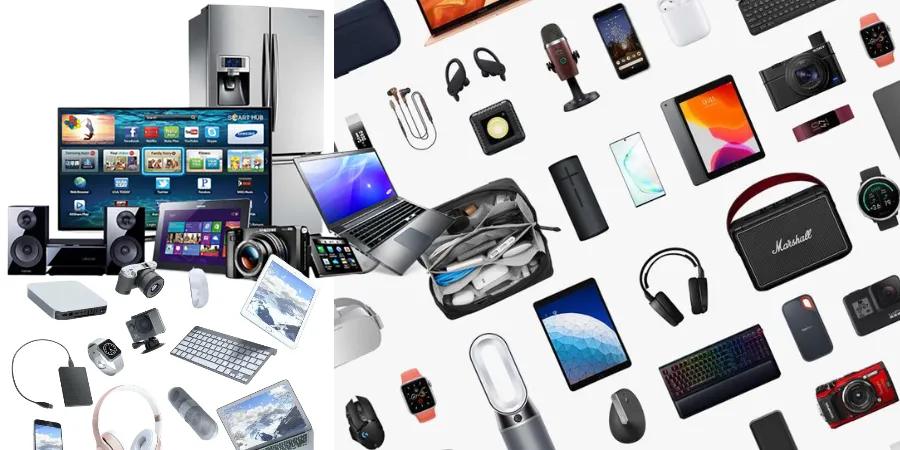
In an era where technology evolves at a breakneck pace, navigating the world of consumer electronics can feel overwhelming. From the latest smartphones and high-performance laptops to smart home ecosystems and wearable tech, the sheer volume of choices often leads to "analysis paralysis." Whether you are upgrading your home office, looking for the perfect entertainment setup, or seeking the latest productivity tools, making an informed decision is crucial to getting the best value for your money.
This comprehensive guide is designed to help you cut through the marketing noise. We will explore the essential factors to consider when shopping for electronics, how to identify your true needs, and how to future-proof your purchases in an ever-changing digital landscape.
1. Defining Your Needs: The "Must-Have" vs. "Nice-to-Have" Framework
Before browsing retail websites or walking into a store, the most important step is self-assessment. Electronics are expensive, and overspending on features you will never use is a common pitfall. To avoid this, categorize your requirements into two buckets:
- The Must-Haves: These are the core specifications required for your primary tasks. For example, if you are a video editor, a high-color-accuracy display and a powerful GPU are non-negotiable.
- The Nice-to-Haves: These are "quality of life" features. Think of aesthetic designs, premium finishes, or bells and whistles like extra RGB lighting or secondary touchscreens that don't directly impact core performance.
By prioritizing your "must-haves," you create a baseline that ensures your device performs the job it was bought for, while leaving room in your budget to splurge on the "nice-to-haves" if funds allow.
2. Decoding Technical Specifications: What Actually Matters?
Retailers often highlight flashy numbers—higher megapixels, more gigabytes, or faster clock speeds. However, higher numbers do not always equate to better real-world performance. Understanding the nuance of hardware is key to being a savvy buyer.
The Processor (CPU) and RAM Relationship
Think of the CPU as the brain and RAM as the short-term memory. A fast CPU paired with insufficient RAM will result in a bottleneck, where your computer or phone feels sluggish despite having a powerful processor. Always look for a balanced configuration. For general productivity, 8GB to 16GB of RAM is the current sweet spot; for creative professional work, 32GB or more is standard.
Display Technology: OLED vs. LCD/LED
When choosing screens, the display type dictates your visual experience. OLED technology offers perfect blacks and infinite contrast, making it ideal for media consumption. IPS LCD panels, conversely, are often more durable and cost-effective, making them excellent for work-related tasks where image burn-in is a concern.
3. Comparative Overview of Key Electronic Categories
To help you navigate the diverse landscape of consumer electronics, we have compiled a comparison table highlighting what to prioritize in different product categories.
| Product Category | Primary Performance Metric | Secondary Consideration | Longevity Factor |
|---|---|---|---|
| Laptops | CPU & RAM | Portability & Battery Life | Upgradability (RAM/SSD) |
| Smartphones | Processor & Software Support | Camera Quality | Battery Health & OS Updates |
| Smart Home Hubs | Connectivity Protocols (Matter) | Ecosystem Compatibility | Security & Privacy Policies |
| Audio Equipment | Frequency Response/Drivers | Comfort & Connectivity | Build Material Quality |
4. The Importance of Ecosystems and Compatibility
One of the biggest shifts in the electronics industry is the move toward "ecosystem lock-in." Manufacturers design their devices to communicate seamlessly with one another—sharing files, syncing notifications, and streamlining logins. While this creates convenience, it can also limit your flexibility.
When buying new electronics, consider the devices you already own. If you rely on a specific cloud service or operating system, look for hardware that integrates natively with your existing setup. However, always prioritize interoperability—look for industry-standard ports (like USB-C) and universal protocols (like Bluetooth or Matter for smart homes) to ensure you aren't trapped in a proprietary system that prevents you from upgrading to a different brand later.
5. Future-Proofing Your Purchase
Electronics depreciate quickly, but a well-chosen device can remain relevant for years. Future-proofing isn't about buying the most expensive item; it's about buying the right technology that won't be obsolete in 18 months.
Check for Connectivity Standards
Always ensure your device uses modern connectivity standards. For example, if you are buying a laptop, ensure it has Thunderbolt 4 or USB4 ports. If you are buying a router, look for Wi-Fi 6 or 6E/7 support. These standards ensure that your device can communicate with newer peripherals and networks as they become the industry norm.
Software Longevity
Hardware is only as good as the software running it. Before purchasing a smartphone, tablet, or smart home device, research the manufacturer's track record for software updates. A device that receives security patches and feature updates for five years is infinitely more valuable than a device that is abandoned by its manufacturer after two years.
6. Practical Tips for the Savvy Shopper
Beyond the technical specs, there are several strategic ways to optimize your buying process:
- Wait for the "Off-Cycle" Periods: Most manufacturers release new products on a predictable annual schedule. Buying a product two months after a new model is released often results in significant discounts on the previous generation, which is usually still highly capable.
- Read "Long-Term" Reviews: Launch-day reviews often miss long-term issues like battery degradation, hinge wear, or software instability. Search for reviews written six months to a year after the product launch to see how it holds up in real-world conditions.
- Consider Refurbished Units: Many manufacturers offer certified refurbished programs. These devices are tested to factory standards, often come with a warranty, and are priced significantly lower than new units. It is an environmentally friendly and budget-conscious way to acquire high-end tech.
- Understand the Return Policy: Electronics can have "dead-on-arrival" issues or simply not fit your workflow. Always purchase from retailers with robust, no-questions-asked return policies, especially for high-ticket items.
7. Sustainability and Responsible Disposal
As consumers, we have a responsibility to consider the lifecycle of our electronics. The production of gadgets relies on rare earth minerals, and their disposal contributes significantly to global electronic waste (e-waste).
When upgrading, try to extend the life of your old devices by passing them on to family members, selling them on secondary markets, or recycling them through certified e-waste facilities. Avoid throwing electronics in the regular trash, as batteries and internal components can leak toxic materials into the environment.
Conclusion: Empowering Your Tech Choices
Choosing the right electronics is a balance of research, patience, and understanding your personal workflow. By focusing on your specific needs, prioritizing longevity through modern standards, and avoiding the trap of chasing every incremental update, you can build a technology suite that empowers your life rather than complicating it.
Remember, the best electronic device is not necessarily the one with the highest specs or the newest design; it is the one that integrates seamlessly into your life, performs reliably when you need it most, and provides the best return on your investment over time. Use this guide as your foundation, stay curious, and make your next tech purchase with confidence.