The Ultimate Guide to Optimizing Departmental Operations: Choosing the Right Equipment and Tools
In the modern business landscape, departmental efficiency is the cornerstone of organizational success. Whether you are managing an IT department, a logistics warehouse, a creative studio, or a customer service center, the tools and equipment you select directly impact your team's productivity, morale, and bottom line. Navigating the vast marketplace for departmental gear can be overwhelming, but with a structured approach, you can make informed decisions that scale with your growth.
This guide provides a comprehensive framework for procurement and equipment selection across various departmental niches, ensuring you invest in solutions that provide long-term value.
Understanding the Core Needs of Your Department
Before diving into specific product features or technical specifications, it is essential to conduct a departmental audit. The "one-size-fits-all" approach rarely works in a specialized environment. To begin your selection process, categorize your requirements into three distinct pillars:
- Operational Capacity: How many team members need to use this equipment simultaneously? What is the expected volume of work?
- Scalability: Will this tool remain relevant as your department grows over the next three to five years?
- Integration Capabilities: Does this new tool communicate seamlessly with your existing software stack or hardware infrastructure?
Key Categories for Departmental Procurement
Departmental needs vary wildly, but most professional environments require investment in four primary categories. Understanding these will help you prioritize your budget effectively.
1. Infrastructure and Connectivity
This category includes the backbone of your department: networking hardware, server racks, high-speed workstations, and communication hubs. In a remote or hybrid work environment, the focus has shifted toward cloud-based infrastructure and secure VPN hardware that allows for seamless departmental collaboration.
2. Productivity and Workflow Tools
These are the day-to-day tools that facilitate task completion. This includes project management software, specialized ergonomic furniture, and industry-specific hardware like high-resolution monitors for design teams or high-speed scanners for administrative departments.
3. Storage and Asset Management
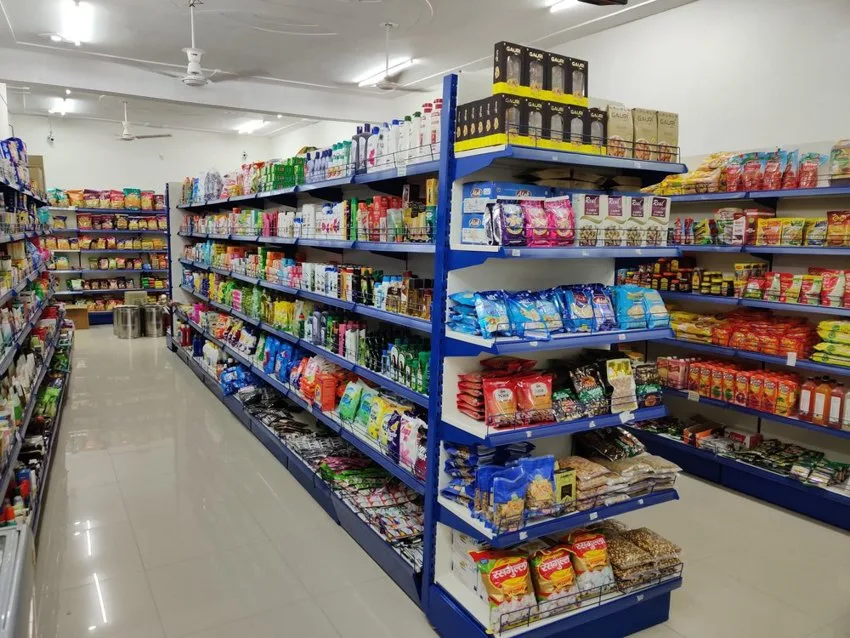
Effective departmental management requires robust systems for physical and digital asset storage. Investing in high-quality shelving units for warehouses or enterprise-grade cloud storage solutions for data-heavy departments is crucial for maintaining an organized workspace.
4. Safety and Compliance Gear
Often overlooked, safety equipment is mandatory for many departments, particularly those involved in manufacturing, shipping, or lab work. Compliance with local safety standards is not just a legal requirement; it is a vital part of maintaining a healthy workforce.
Comparison Table: Selecting the Right Tier for Your Department
When selecting products, you will often find options ranging from "Entry-Level" to "Enterprise-Grade." Use this table to align your departmental needs with the right tier.
| Feature | Entry-Level (Startup/Small Team) | Mid-Market (Growing Department) | Enterprise (Large Scale) |
|---|---|---|---|
| Durability | Basic, occasional use | High, daily heavy use | Extreme, 24/7 industrial use |
| Support | Standard online guides | Dedicated email/chat support | 24/7 SLA with account manager |
| Integration | Standalone applications | API support for common tools | Full custom integration/ERP sync |
| Cost Structure | Low upfront, low maintenance | Moderate, subscription-based | High, enterprise licensing |
Strategies for Making Informed Buying Decisions
Once you have identified the category, follow these expert strategies to finalize your purchase decisions. These tips are designed to prevent "buyer's remorse" and ensure high ROI.
Prioritize Ergonomics and User Experience (UX)
Departmental equipment is only as good as the employees using it. If a tool is difficult to operate, team members will find workarounds, which often leads to security vulnerabilities or inefficient processes. Always prioritize user-friendly interfaces and ergonomic designs that reduce physical strain and mental fatigue.
The Total Cost of Ownership (TCO) Model
Never base your decision on the sticker price alone. The TCO includes the initial purchase, training costs, energy consumption, maintenance, and eventual disposal or upgrade fees. A cheaper product with high maintenance requirements is almost always more expensive in the long run than a premium product with a long lifespan.
Vendor Reputation and Reliability
In a departmental setting, downtime is the enemy. Before committing to a vendor, research their reliability record. Look for testimonials that specifically mention post-purchase support and the speed of their repair or replacement services. A vendor that offers a proactive maintenance schedule is often worth a premium price.
Future-Proofing Your Departmental Setup
Technology moves fast, and your departmental equipment should not become obsolete within a year. Future-proofing involves selecting hardware and software that adheres to industry standards, such as universal connectivity ports (USB-C/Thunderbolt), modular design, and cloud-native software.
Modular Design: Choose equipment that can be upgraded in parts. For example, workstations that allow for easy RAM or storage upgrades are more valuable than sealed, non-upgradable units.
Cloud-First Approach: Whenever possible, favor tools that operate in the cloud. This ensures that your departmental data is backed up, accessible from anywhere, and automatically updated with the latest security patches.
Common Pitfalls to Avoid in Procurement
Even seasoned managers fall into traps when upgrading departmental assets. Avoid these common mistakes to keep your procurement process smooth:
- Feature Creep: Do not pay for advanced features that your team will never use. Focus on the core functionality that solves your current pain points.
- Ignoring User Feedback: Always consult the team members who will actually use the equipment daily. They often have insights into operational bottlenecks that management overlooks.
- Underestimating Training Needs: The most sophisticated tool is useless if your staff does not know how to leverage its full potential. Factor in the time and budget for team training sessions.
- Neglecting Cybersecurity: Every new piece of connected hardware is a potential entry point for threats. Ensure all new equipment meets your department’s security protocols.
The Role of Sustainability in Modern Procurement
Today’s departments are increasingly held accountable for their environmental footprint. When choosing equipment, look for energy-efficient ratings, recyclable materials, and vendors with sustainable supply chains. This not only benefits the environment but often leads to lower energy costs and better brand reputation for your department.
Conclusion: Building a Foundation for Success
Selecting the right tools and equipment for your department is a strategic investment in your organization's future. By taking a methodical approach—assessing needs, comparing tiers, calculating TCO, and prioritizing future-proof technology—you can create a workspace that empowers your team to perform at their best.
Remember that the best equipment is the one that fades into the background, allowing your team to focus on their core objectives without technical friction. Use this guide as a living document, updating your criteria as your department evolves, and you will ensure that your operational setup remains a competitive advantage for years to come.